
_ _ Infobelt
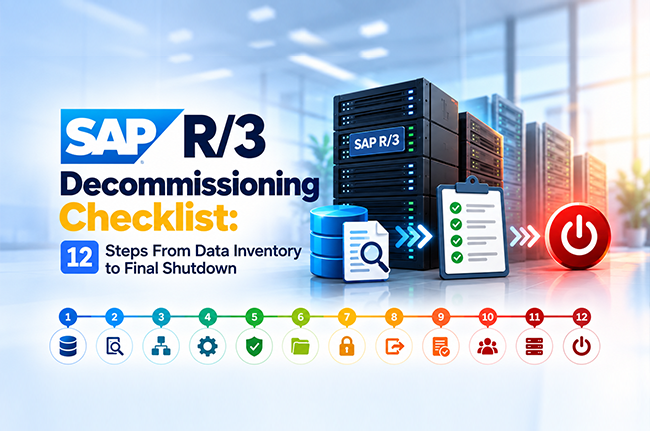
SAP R/3 Decommissioning Checklist: 12 Steps From Data Inventory to Final Shutdown
Retiring an SAP R/3 system is an opportunity to turn decades of business history into an asset that stays useful. Finance keeps access to years of ledger history. Legal keeps the right records protected. Auditors find clear answers long after the servers shut down. A well-planned data strategy makes all of that possible.
A clear checklist keeps all of those needs on one page. This guide walks through 12 steps in three phases: prepare, extract and preserve, and prove and shut down. Each step names the work and the outcome to expect. Teams retiring R/3 4.6C, 4.7, or similar releases can use it as a working project plan.
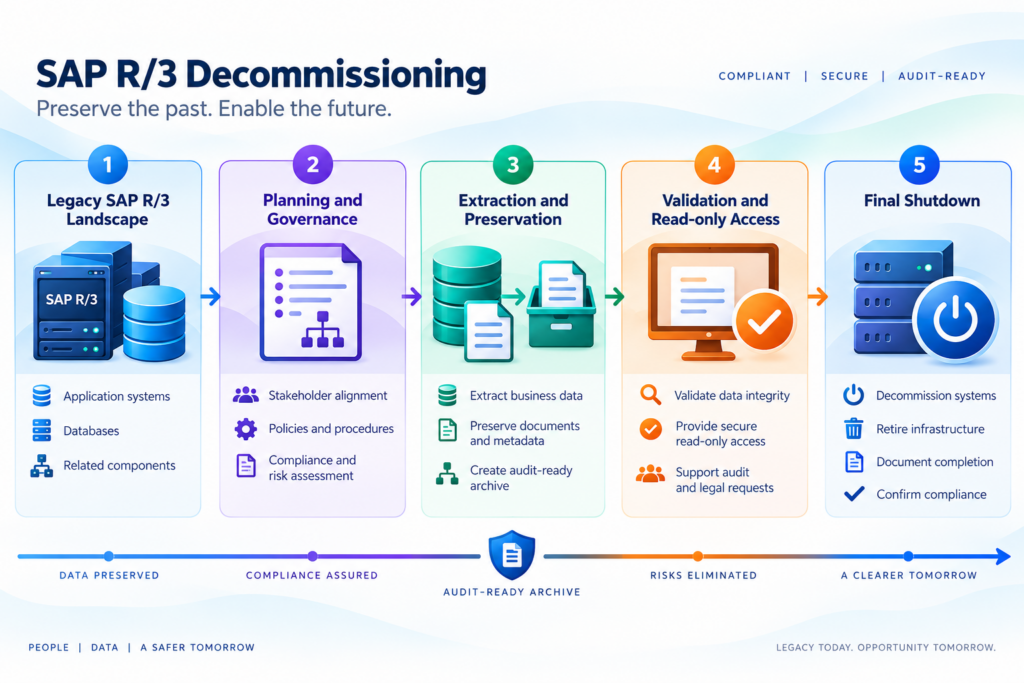
Clear data decisions are the foundation of a successful R/3 shutdown
Servers, licenses, and interfaces have clear owners and clear end dates. Data brings a wider circle of stakeholders, since every department holds a stake in it and each stake carries its own retention rule.
Projects that settle data decisions early reach the shutdown date with confidence. The checklist below places those decisions at the front, where they take the least effort and deliver the most value.
Phase 1: Prepare the ground before touching any data
Step 1: Name one project owner and a sign-off group
Every R/3 retirement needs one accountable owner and a small group with approval authority. Representatives from IT, finance, legal, compliance, and internal audit cover the essential views.
The group agrees on the shutdown goal, the target date, and the definition of done. Early alignment prevents late objections, when a single open question can delay the entire project.
Step 2: Inventory every module, client, and custom object
List each active module, such as FI/CO, MM, SD, PP, and HR. Record every client, including test and sandbox clients that may hold real business data.
Catalog custom objects too. Z-tables, Z-programs, and custom reports often carry valuable business logic that standard tools miss, so listing them early protects that knowledge. Note every interface that sends data to R/3 or receives data from it. This inventory becomes the scope document for the whole project.
Step 3: Match each data set to a retention rule
Every data set needs a retention period and a legal hold status. Tax and statutory records often require several years of storage. Personnel records follow privacy rules such as GDPR. Regulated industries add requirements such as 21 CFR Part 11.
Legal counsel confirms which records sit under active holds. The output is a simple table that pairs each data set with a keep-until date, an owner, and a reason. Data with expired retention and a clear hold status becomes a candidate for defensible deletion, which reduces both storage volume and risk.
Step 4: Confirm which reports and queries the business still runs
Ask users which reports they run, how often, and who receives them. R/3 usage logs back up those answers with facts. Many teams find that a small set of reports covers most real needs.
Those reports define the retrieval requirements for the new repository. Requirements stated early shape the extraction design and keep the final weeks of the project calm and predictable.
Phase 2: Extract and preserve data with its full meaning
Step 5: Extract structured data with business context intact
R/3 stores business data across transparent, pool, and cluster tables. Raw table dumps lose the relationships that give records meaning. A purchase order, for example, links to vendors, materials, invoices, and payments.
Extraction should keep those links, along with text descriptions, translated code values, and organizational structure. Business context turns a pile of rows into records that auditors and analysts can follow years later.
Step 6: Capture documents, attachments, and print lists
Tables hold only part of the story. R/3 also stores scanned invoices in ArchiveLink repositories, files attached through Generic Object Services, SAPscript output, and years of spool and list output.
Teams that extract tables alone capture only part of the picture. Capture every item and link it to its parent transaction, so a user who opens an invoice record sees the matching document right beside it.
Step 7: Convert existing archive files into a readable format
Many R/3 systems already hold archive files created through the Archive Development Kit (ADK) and transaction SARA. Those files depend on the original data structures and the live system to interpret them.
Read each archive file, decode it with its structure definition, and load the result into the new repository alongside the extracted data. Old archives often carry the oldest and most valuable history. This step keeps that data readable for years after shutdown.
Step 8: Validate counts and totals against the source
Validation proves the extraction worked. Compare record counts by table and by year. Reconcile financial totals, such as ledger balances, open items, and asset values, against R/3 reports.
Sample transactions across modules and check accuracy field by field. Document every result. Finance and audit teams rely on this evidence to accept the new repository as the system of record.
Phase 3: Prove the archive works, then shut down
Step 9: Test search and retrieval with real audit scenarios
Run the scenarios that matter most. Retrieve all invoices for one vendor across five years. Pull a full material movement history. Rebuild a payroll record for a former employee.
Invite auditors and finance users to run these tests themselves, since hands-on testing builds the most confidence. Repositories with natural language search, such as Infobelt AQL Copilot, let users type questions in plain English, which speeds this testing considerably. Record the outcome of every test.
Step 10: Obtain formal written sign-off
Finance, legal, compliance, and internal audit each review the validation and test evidence, then sign a closure approval. Written sign-off protects the organization and gives the IT team clear authority to proceed.
Store the approval documents in the same repository as the data. Proof of the decision then stays available for as long as the data itself.
Step 11: Move users to read-only access before the shutdown date
Give users a defined trial period in the new repository while R/3 remains available as a safety net. Set up role-based permissions that mirror R/3 authorizations, especially for sensitive data such as payroll and vendor bank details.
Offer short training sessions and quick reference guides. The trial period reveals report and access needs while fixes remain easy.
Step 12: Decommission the infrastructure and document the closure
With approvals in place and users working in the new repository, retire the infrastructure. Switch off application servers and databases, cancel or reduce licenses, close interfaces, and remove network access. Keep a final backup of the source system for an agreed period.
Then write a closure report. It records what moved, what was deleted, who approved each decision, and where the data lives today. That report answers future audit questions in minutes.
Four habits that keep R/3 projects on track
Four habits set successful R/3 retirement projects apart.
Strong teams begin with a full inventory, so every client and Z-table surfaces early. Steps 1 and 2 build that habit. They extract documents and print lists along with tables, so every record arrives complete. Step 6 covers that.
They validate totals throughout the project, which keeps fixes quick and inexpensive. Step 8 builds validation into the plan. They also complete audit testing before shutdown, so retrieval works on day one. Steps 9 and 10 secure that outcome.
What a finished project delivers
A well-run decommissioning delivers more than a switched-off server. Storage and infrastructure costs drop. Security improves, since the unsupported operating system, database, and application stack leaves the network. The organization gains independence from scarce R/3 specialists.
Finance and audit teams gain a single repository where structured data, documents, and print lists live together with searchable, read-only access. Project length depends on data volume, the number of clients, the count of custom objects, and the volume of attached documents. A thorough inventory in Step 2 gives the most reliable basis for any timeline.
How Infobelt supports every phase of R/3 retirement
Infobelt built its SAP offerings around this exact journey. The Application Retirement System (ARS™) extracts data from R/3 4.6, 4.7, and similar releases, preserves business context, and stores structured data, documents, and print lists in one repository.
Data Archiving Essentials for SAP, an SAP-certified solution, covers active archiving needs alongside retirement projects. AQL Copilot™ lets auditors and business users search the archive in plain English, with secure read-only access that keeps working after the R/3 servers shut down.
Deployment options include on-premises, cloud, and hybrid. Compliance support covers 21 CFR Part 11, GDPR, and full audit trails.
Turn the R/3 shutdown into a routine project
A structured checklist changes an R/3 shutdown from a risk into a predictable project. Data decisions come first, proof comes before shutdown, and every approval leaves a record.
Ready to plan your R/3 retirement?
Schedule a discovery call with Infobelt’s SAP archiving experts. The team will review your landscape, walk through the checklist against your environment, and outline a practical path to a safe shutdown.
Schedule a discovery call | Explore Application Retirement System | Data Archiving Essentials for SAP